
Download PCmover Professional – Fast, Secure, and Smart PC Migration Tool for Windows
Looking for a reliable way to transfer your applications, files, and system settings from an old PC to a new one? PCmover Professional by Laplink Software, Inc. is the ultimate solution for seamless Windows migration. This powerful software allows you to move everything—programs, documents, desktop settings, browser favorites, and more—in just three simple steps.
Whether you're upgrading to a new laptop, replacing a damaged desktop, or switching between different Windows versions (from Windows 7 to Windows 11), PCmover Professional ensures a smooth, secure, and automated transfer process. Unlike manual backups or third-party tools, this app handles the entire migration without requiring you to reinstall software or hunt for license keys. With support for both wired and wireless network transfers, it's ideal for users who want speed, convenience, and peace of mind.
Best of all, it preserves your digital identity exactly as it was—no overwritten files, no missing settings. Download PCmover Professional today and make your next PC upgrade effortless.
Why PCmover Professional Stands Out in PC Migration
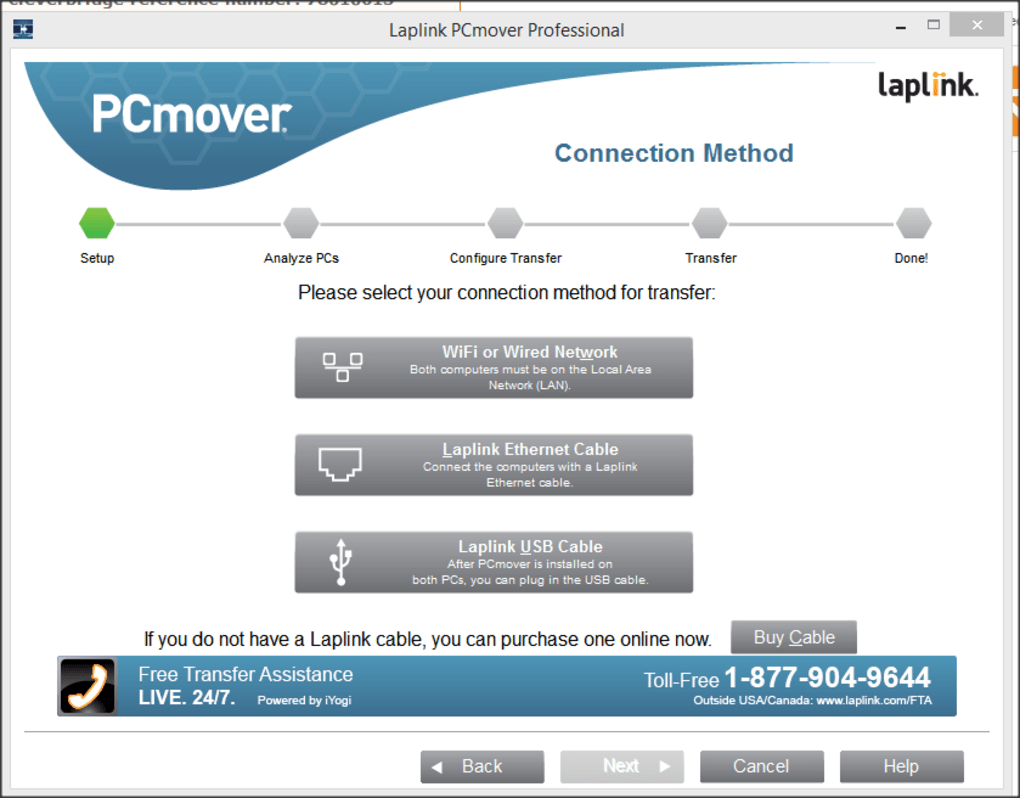
When it comes to transferring data between computers, most users are stuck with tedious, time-consuming methods—manually copying files, reinstalling programs, or reconfiguring settings. PCmover Professional eliminates all of that with a fully automated, intelligent migration system. What sets it apart is its ability to move not just files, but entire applications and system configurations—something few tools can do. Whether you're moving from an older Windows 7 machine to a modern Windows 11 system or upgrading from a laptop with limited storage to a high-performance desktop, this software handles the complexity behind the scenes. The process starts with installing PCmover on both the source and destination machines. Then, using a guided wizard, you choose your transfer method—direct cable connection, Wi-Fi network, or local area network. The software then scans your old PC, identifies all user data, installed applications, and system preferences, and securely transfers them to your new system. One of the most impressive features is its smart detection system, which automatically identifies incompatible software or DRM-protected files and alerts you before the transfer. This prevents errors and ensures your new PC runs smoothly. Unlike competitors like Zinstall, PCmover provides clear transparency about which apps it can and cannot transfer, reducing user frustration. It also supports a wide range of software, including Microsoft Office, Adobe Creative Suite, and many popular productivity and development tools. The transfer process is fast—often completing in under an hour for average users—and it runs in the background, so you can continue using your old PC during the migration. With built-in security protocols and data encryption, your files are protected during transfer. Whether you're a home user, small business owner, or IT professional managing multiple devices, PCmover Professional delivers unmatched reliability and efficiency.Seamless Setup and Easy-to-Use Transfer Process
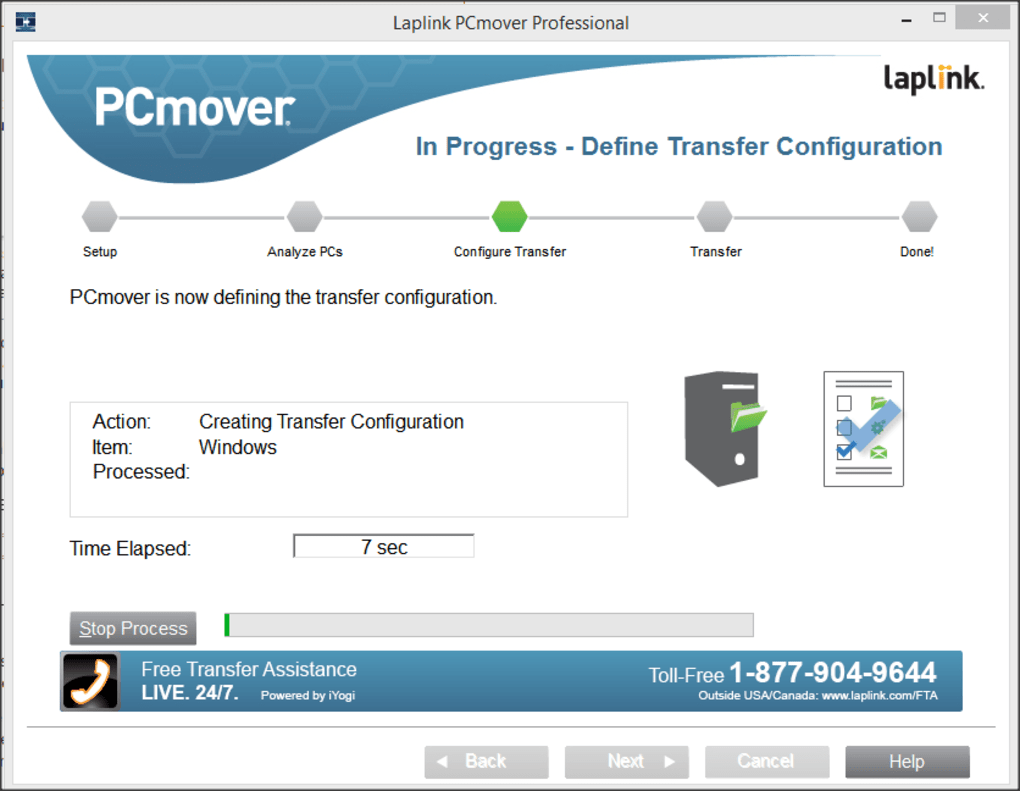
Getting started with PCmover Professional is straightforward, even for users with limited technical knowledge. The installation process is quick and intuitive. Simply download the software from the official Laplink website, run the installer on both your old and new PCs, and launch the application. The built-in setup wizard walks you through each step, asking you to select the type of transfer you want—either a full migration (all files, apps, and settings) or a selective transfer (only specific data). You can choose between a direct USB cable connection or a wireless network transfer, depending on your setup. For faster speeds, a wired connection is recommended, but Wi-Fi works seamlessly for most users. Once the connection is established, PCmover scans your old system and displays a comprehensive list of what will be transferred. You can review and customize the transfer list, excluding certain programs or files if needed. The software intelligently handles dependencies, ensuring that related files and registry entries are moved correctly. During the transfer, you can monitor progress in real time, with estimated completion times and detailed logs. One of the standout benefits is that it doesn’t require you to deactivate or uninstall software on your old PC—your system remains fully functional throughout the process. After the transfer is complete, the software guides you through a post-migration setup, where you can verify that all programs are working correctly and adjust settings if necessary. If any issues arise, PCmover offers troubleshooting tools and support resources. The entire experience is user-friendly, well-documented, and designed to minimize user errors. Whether you're a beginner or a power user, the interface is clean, responsive, and easy to navigate. With PCmover Professional, you're not just transferring data—you're migrating your entire digital workspace with confidence.Full Compatibility and Key Features for Modern Users
PCmover Professional is built to work across a wide range of Windows environments, supporting all major versions from Windows 7 to Windows 11. It excels at cross-version migrations, meaning you can move from an older OS to a newer one without compatibility issues. This is especially useful for businesses upgrading legacy systems or individuals replacing aging hardware. The software is compatible with both 32-bit and 64-bit systems and supports a variety of hardware configurations. It also works on laptops, desktops, and even virtual machines—making it a versatile tool for IT departments and remote workers. Key features include automatic application detection, intelligent file mapping, and secure data encryption during transfer. It preserves your desktop layout, browser bookmarks, email accounts, and even custom folder structures. You can transfer user profiles, application settings, and even Windows Store apps. For businesses, the enterprise edition offers centralized deployment and remote management capabilities. The software also includes a built-in backup feature, allowing you to create a snapshot of your current system before migration. This is crucial for data safety, especially when dealing with critical business applications. Another major advantage is its support for both wired and wireless transfers, giving you flexibility based on your network setup. Unlike some tools that require specific hardware, PCmover works with standard Ethernet cables, Wi-Fi routers, and even USB 3.0 connections. It also integrates with Windows Defender and other security tools to ensure the transfer doesn’t introduce vulnerabilities. Whether you're a student moving to a new laptop or a professional upgrading your workstation, PCmover Professional adapts to your needs.Pros and Cons: A Balanced View
- Pros:
- Transfers applications, files, and settings in one seamless process
- Supports cross-version Windows migration (e.g., Win 7 to Win 11)
- Works with wired and wireless network connections
- Intuitive, guided setup wizard for easy use
- Preserves desktop layout, browser favorites, and system preferences
- Secure data encryption during transfer
- Clear transparency about supported and unsupported software
- Fast transfer speeds, even for large data sets
- Cons:
- Cannot transfer DRM-protected files (e.g., music, movies)
- Some antivirus and hardware-specific drivers may not transfer
- Does not support migration from newer to older Windows versions
- Requires both PCs to have the software installed
- Advanced features are limited in the free trial version
Frequently Asked Questions (FAQ)
Can PCmover Professional transfer my installed programs?
Yes, PCmover Professional is specifically designed to transfer installed applications, along with their settings and associated files. It can move programs like Microsoft Office, Adobe Photoshop, and many others. However, it cannot transfer DRM-protected software or programs with hardware-specific licenses.
Is it safe to use PCmover Professional on my old PC?
Absolutely. The software is designed to read your old system without modifying or deleting any data. Your old PC remains fully functional during the transfer process. No files are overwritten, and all data is preserved.
Can I transfer data from Windows 11 to Windows 10?
No, PCmover Professional does not support transferring from newer to older operating systems. This is to prevent system instability. You can only migrate from older versions (like Win 7 or Win 10) to newer ones (Win 11).
Do I need a special cable to transfer data?
No, a special cable is not required. PCmover supports both direct USB cable connections and standard network transfers via Wi-Fi or Ethernet. The choice depends on your preference and available hardware.
Is there a free version of PCmover Professional?
Yes, a free trial version is available that allows you to test the software’s core features. However, full functionality requires a paid license. The trial version is limited in duration and transfer scope.







